
Culla helps you pick the keepers.
It finds the blinks, the blur and the lookalikes with Apple’s Vision framework, which runs on your Mac’s Neural Engine. You decide, one key at a time.
Version 1.0macOS 26 or laterFree and open source. No account.
- Free, no catch
- Open source
- No account
- No ads, no tracking
- Works offline, nothing uploaded
How it works
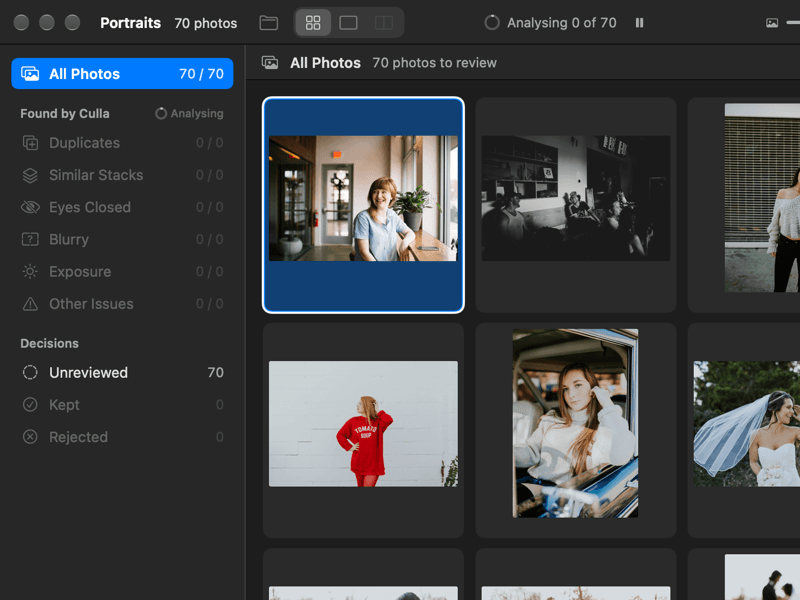
Open a folder.
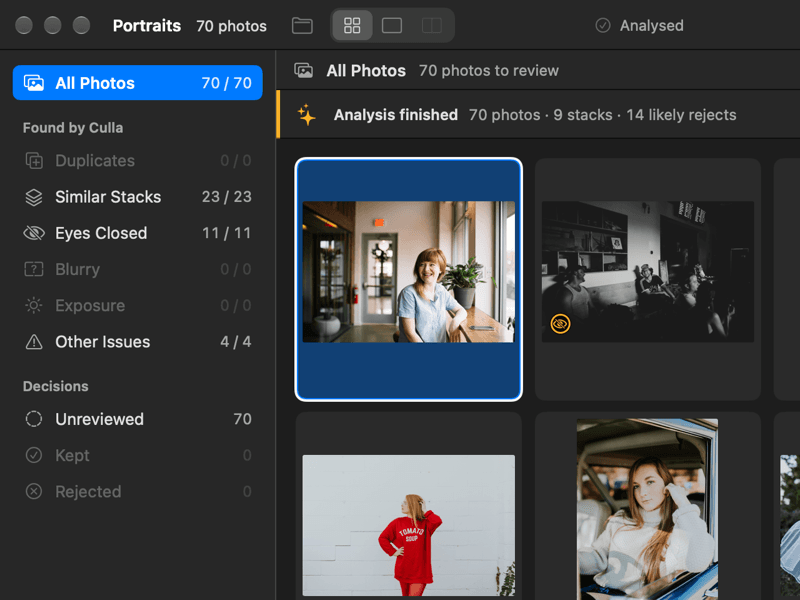
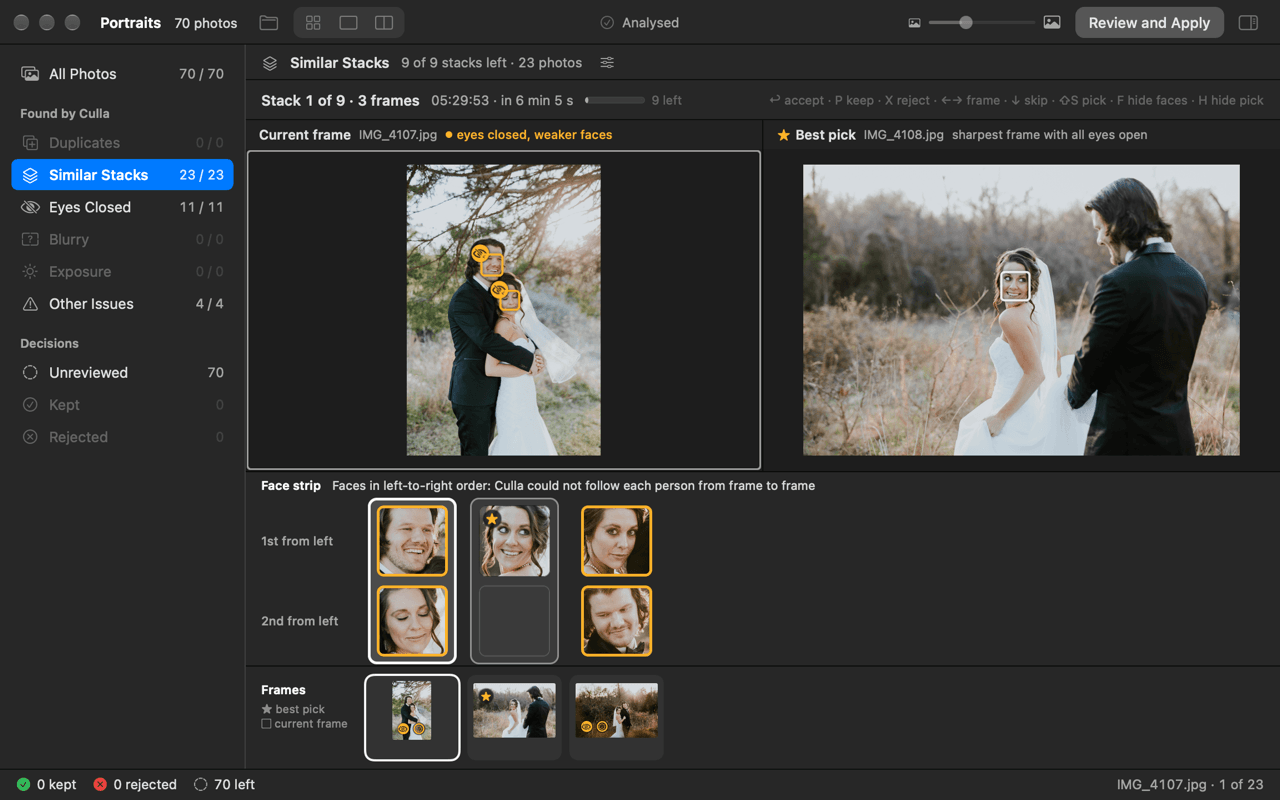
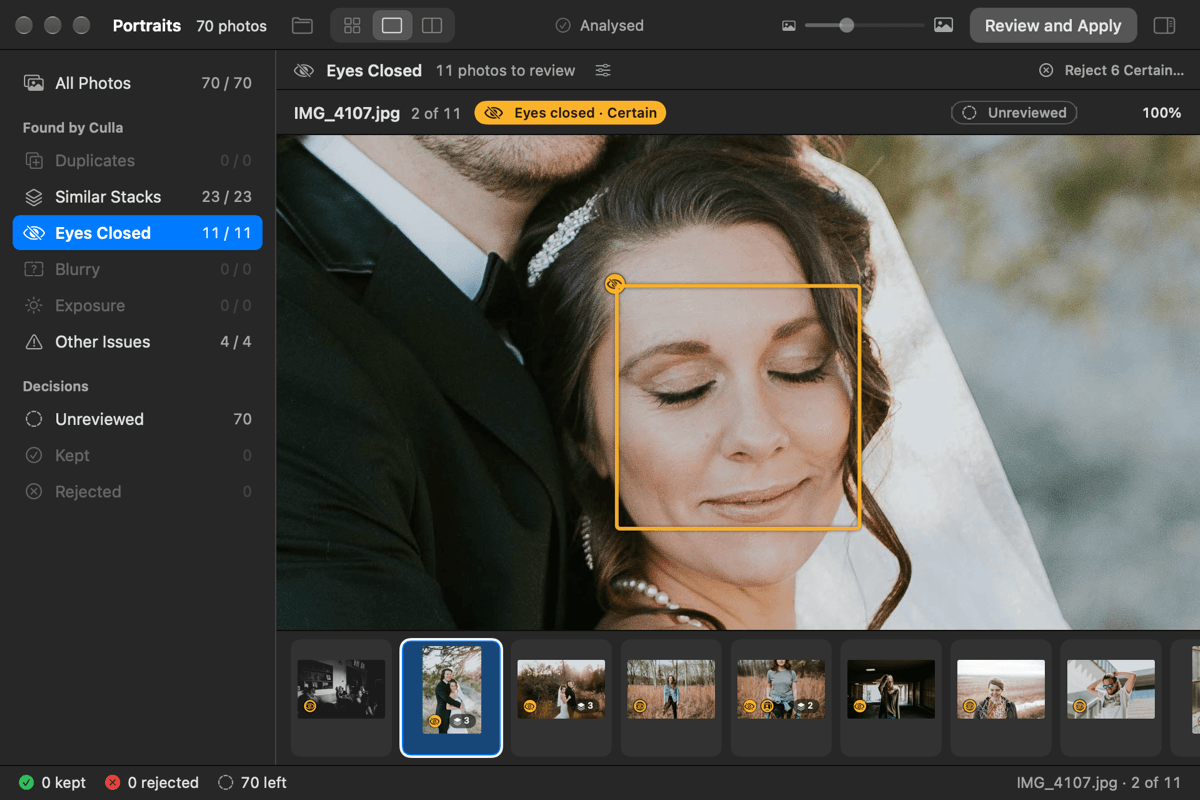
Culla sorts it into piles: duplicates, lookalikes, closed eyes, blurry, badly exposed.
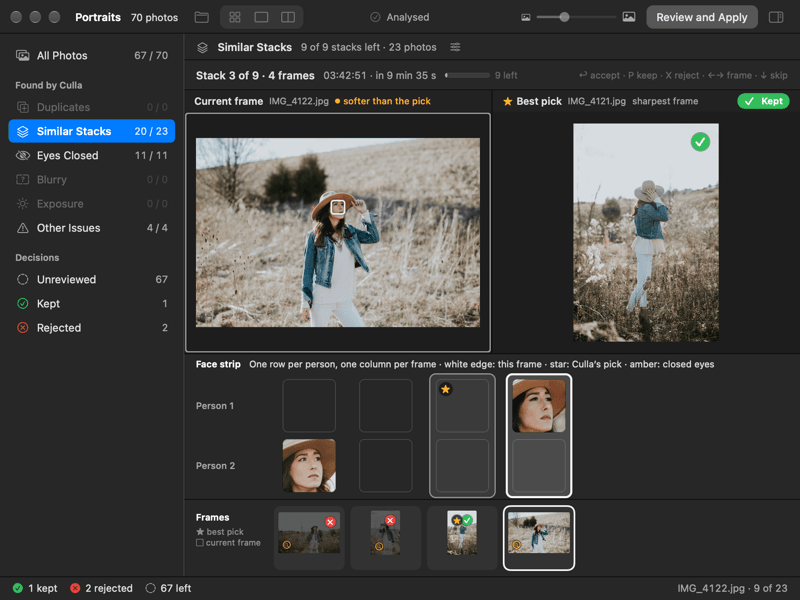
Press P to keep, X to reject. Nothing moves until you say so.
Apple Vision on your Mac
Everything Culla finds comes from Apple’s own frameworks: Vision, Core Image and ImageIO. There are no third-party models.
| What Culla finds | How |
|---|---|
| Closed eyes | Vision face landmarks, checked against Core Image |
| Blur | Edge strength on the subject Vision’s saliency finds, plus face capture quality |
| Lookalikes and duplicates | Vision feature prints and capture time; exact copies by file hash |
| Lens smudge | Vision’s smudge request |
No model to download. No cloud. Your photos never leave your Mac.
Culla suggests, you decide. Every flag shows why.
From the keyboard

 Pick


Try it: the keys work here.Tap the keys.
- One key per decision.
- Start while Culla is still looking.
- Every key can be changed.
Your photos stay yours
- Nothing moves until you apply.
- Rejects go to a
_Rejectedfolder inside the shoot. Nothing is deleted. - Apply can be undone.
Beta Ratings and keep or reject marks can also be written to XMP sidecars beside your photos. Culla never changes an image file.
So what’s the catch?
There isn’t one.
Culla started as a personal project: a tool I built for my own photos. It turned out to be worth sharing, so I’m sharing it. That’s the whole story.
No paid version is waiting behind this one. No ads, no account, and nothing collected about you or your photos. The code is open on GitHub under the MIT licence, so you don’t have to take my word for any of it. If Culla is useful to you, good. If something is broken or missing, tell me.
Not finished yet
Culla is new, and a few things are still rough.
- Detection settings are still being tuned on real shoots, so check what Culla flags before you apply.
- Closed eyes have been checked on only a few real faces so far. If Culla misses a blink, or sees one that isn’t there, tell me.
- Beta Writing XMP sidecars is still in beta.
- Sending rejects to the Trash has had less testing than the
_Rejectedfolder.
Tell me
These open on GitHub, where you need a free account to write. Write in English, Russian or Turkmen.
Questions
Which Macs and cameras does it work with?
Any Mac with macOS 26 or later. Culla reads JPEG, HEIC and the RAW formats macOS itself can read.
Does it need the internet?
No. The app has no network access at all, so nothing is uploaded anywhere. Your photos stay on your Mac.
Does it change my photos?
No. Culla never changes an image file. Until you apply, your decisions are only marks. When you apply, files are moved, not edited.
What happens to the rejects?
When you apply, they move to a _Rejected folder inside the shoot. In Settings you can send them to the Trash instead, or only mark them. Culla doesn’t delete anything, and Apply can be undone.
How is it free?
It started as a personal project, and I’m sharing it. There is no paid tier and there are no ads.
Is it open source?
Yes. The code is on GitHub under the MIT licence. You can read it, build it yourself, or send a fix.
Does this site count anything?
The server keeps an ordinary log to count visits. It stores a shortened IP address, never the whole one, and the log is deleted after 30 days. No cookies, no scripts watching you. The download itself comes from GitHub, which keeps its own count and its own logs.
How do I report a problem?
On GitHub, where you can report a bug, suggest a feature or ask a question. You need a free GitHub account to write there.
Try it on your next shoot.
Download for MacVersion 1.0macOS 26 or laterFree and open source. No account.